Attachment
已发送或待发送的文件:标识、斜体文件名、下方一行附注,以及几个小型操作按钮。
安装
# once per project: where @zzzui items come frompnpm dlx shadcn@latest registry add @zzzui=https://zzzui.catforest.dev/r/{name}.jsonpnpm dlx shadcn@latest add @zzzui/attachment示例
已发送、上传中、失败、未发送
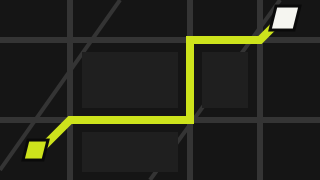
import { Attachment, AttachmentAction, AttachmentActions, AttachmentContent, AttachmentDescription, AttachmentGroup, AttachmentMedia, AttachmentTitle,} from "@/components/zero/attachment";import { AlertIcon, CloseIcon, LockIcon } from "@/components/zero/icons";import { Spinner } from "@/components/zero/spinner";export default function AttachmentFiles() { return ( <AttachmentGroup className="w-full max-w-xl flex-wrap"> <Attachment> <AttachmentMedia variant="image"> {/* biome-ignore lint/performance/noImgElement: a small SVG sample, and the demo is copied into projects without next/image */} <img src="/samples/route-map.svg" alt="" /> </AttachmentMedia> <AttachmentContent> <AttachmentTitle>route-map.svg</AttachmentTitle> <AttachmentDescription>12 KB</AttachmentDescription> </AttachmentContent> <AttachmentActions> <AttachmentAction aria-label="Remove route-map.svg"> <CloseIcon /> </AttachmentAction> </AttachmentActions> </Attachment> <Attachment state="uploading"> <AttachmentMedia> <Spinner aria-hidden /> </AttachmentMedia> <AttachmentContent> <AttachmentTitle>manifest.pdf</AttachmentTitle> <AttachmentDescription>Uploading · 64%</AttachmentDescription> </AttachmentContent> </Attachment> <Attachment state="error"> <AttachmentMedia> <AlertIcon /> </AttachmentMedia> <AttachmentContent> <AttachmentTitle>gate-codes.txt</AttachmentTitle> <AttachmentDescription>Too large to send</AttachmentDescription> </AttachmentContent> </Attachment> <Attachment state="idle" size="sm"> <AttachmentMedia> <LockIcon /> </AttachmentMedia> <AttachmentContent> <AttachmentTitle>seal.key</AttachmentTitle> <AttachmentDescription>Not sent yet</AttachmentDescription> </AttachmentContent> </Attachment> </AttachmentGroup> );}行为
标识可以是黑色斜切凹槽中的图标,或带墨黑边框的图片。state 表示文件所处的阶段:idle(虚线描边)、uploading 与 processing(图片变暗,文件名变淡)、error(红色描边)、done。
AttachmentTrigger 使整张卡片可点击以打开文件,其层级位于操作按钮之下。AttachmentGroup 将多个附件排成一行,可横向滚动。
属性
Attachment
| 属性 | 类型 | 默认值 | 说明 |
|---|---|---|---|
| state | "idle" | "uploading" | "processing" | "error" | "done" | "done" | 文件所处的阶段。 |
| size | "default" | "sm" | "default" | 内边距大小。 |
| orientation | "horizontal" | "vertical" | "horizontal" | 标识位于文件名旁边,或上方。 |
AttachmentMedia
| 属性 | 类型 | 默认值 | 说明 |
|---|---|---|---|
| variant | "icon" | "image" | "icon" | 斜切凹槽中的图标,或带边框的图片。 |